

How to earn
On this page
Earn deposits go into Lista’s curated vaults through your Listapie vault, so you get the curated vault’s yield plus the LISTA boost on top. You need a vault first; see Quick start.
Step by step#
- With more than one vault, pick the one to deposit through in the header’s Vault menu first; the deposit dialog doesn’t name it. See Multiple vaults.
- Open Earn. Each row is a curated vault: the asset you deposit, its curator, deposits, utilization and APY.
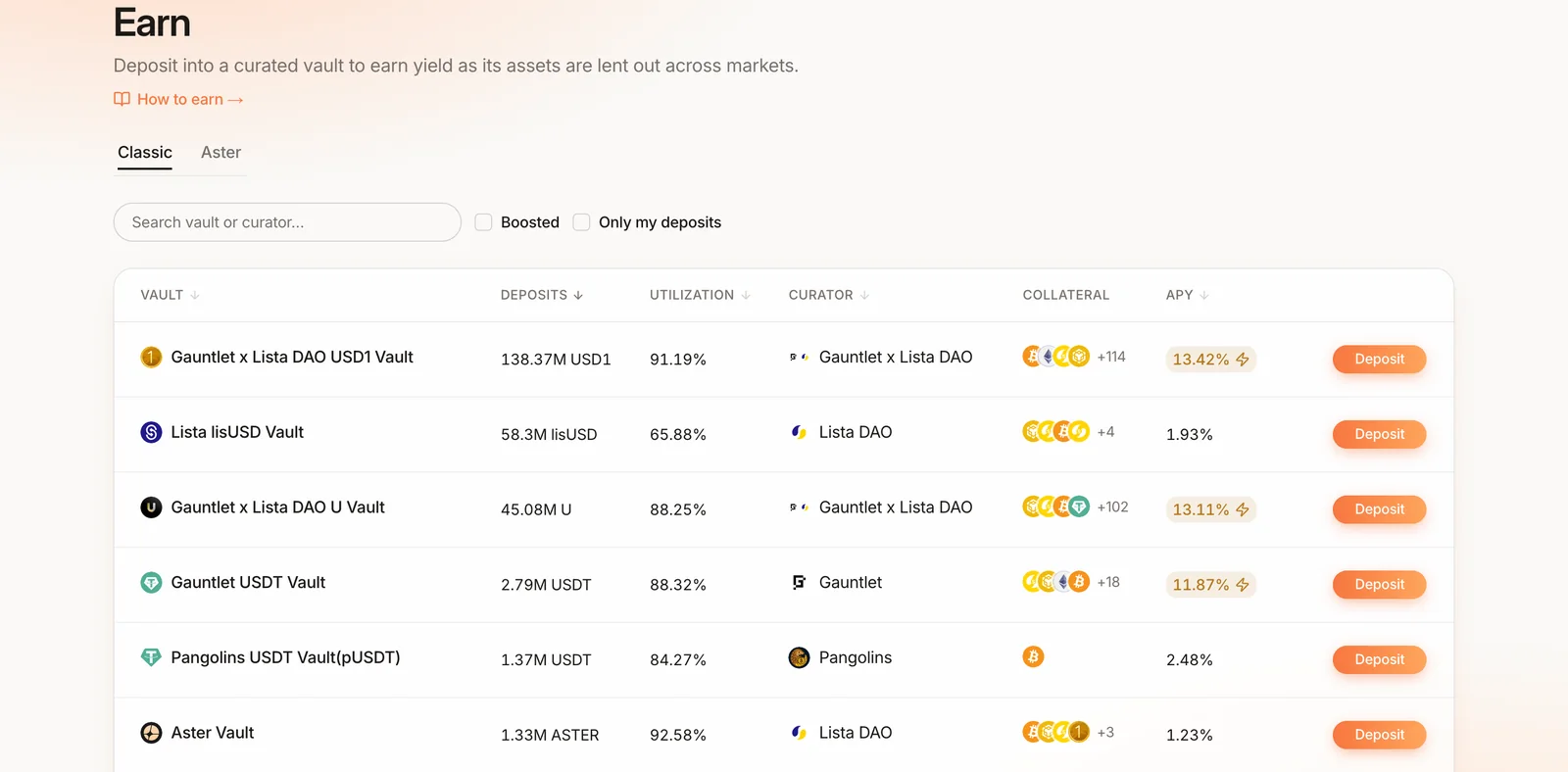
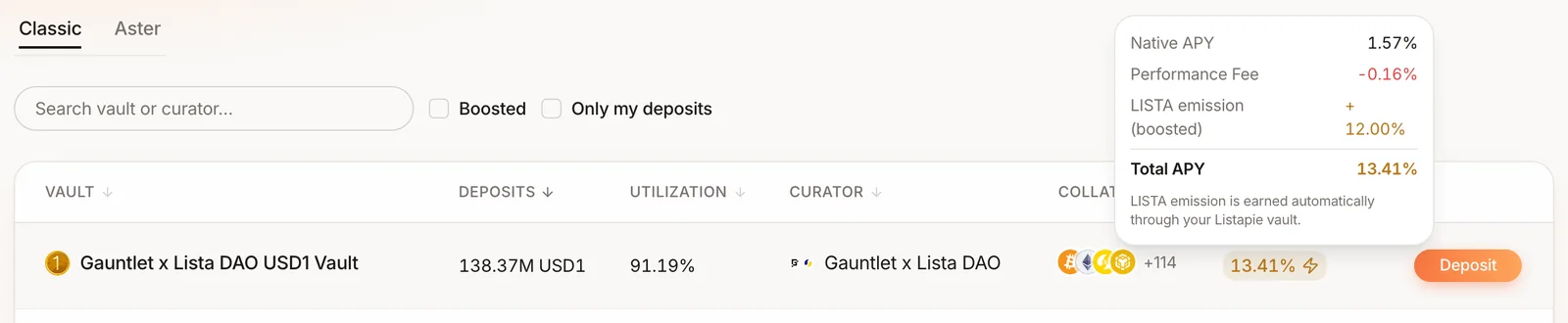
- Read the APY pill. A ⚡ means LISTA emission is included. Hover it for the split: Native APY, Performance Fee, LISTA emission and Total APY. Tick Boosted to show only vaults with emission.
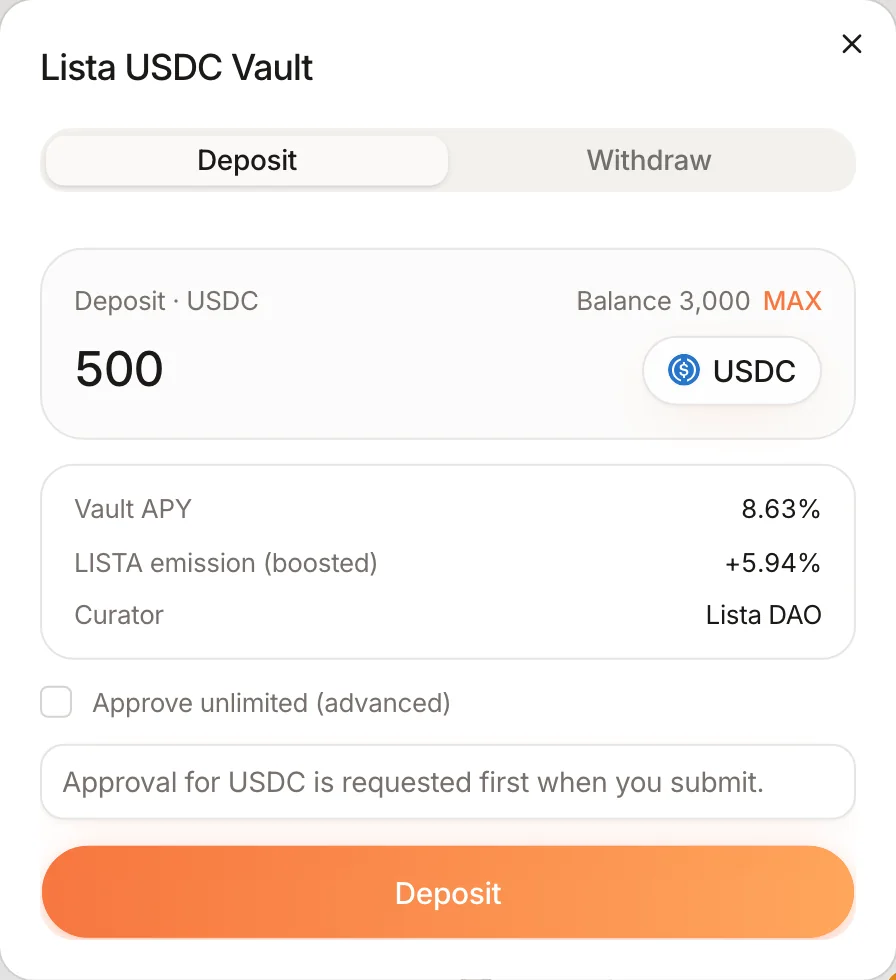
- Click Deposit on a vault and enter an amount (or Max).
- Confirm the wallet prompts: a token approval to your vault for exactly that amount, then the deposit. Leave “Approve unlimited” unticked unless you deposit often.
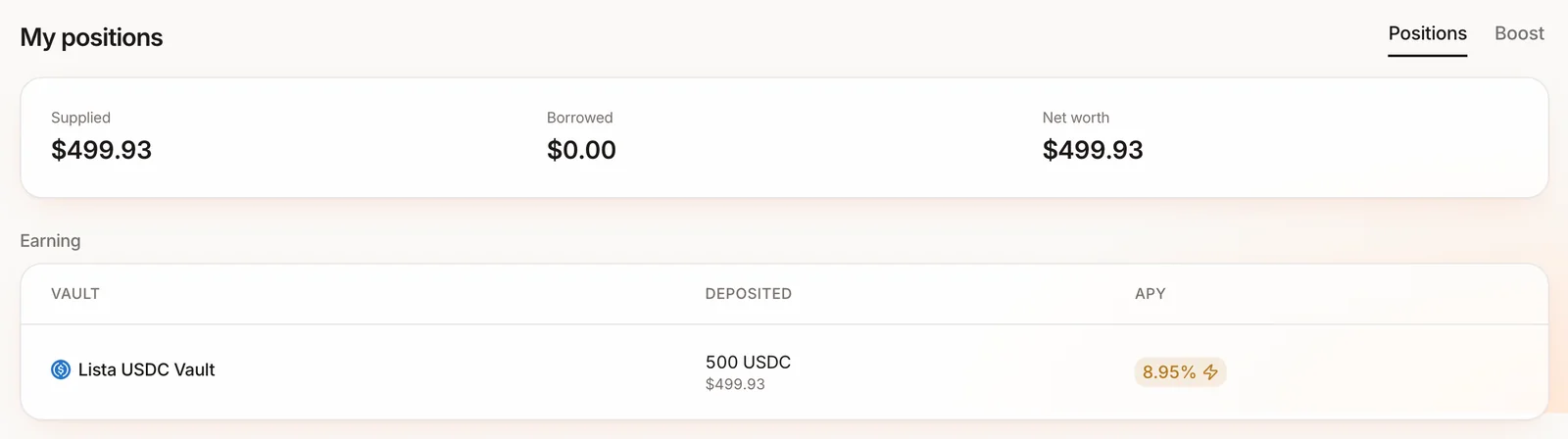
- Your position appears under Dashboard → My positions and on the vault’s own page, for the vault you had selected.
Withdrawing#
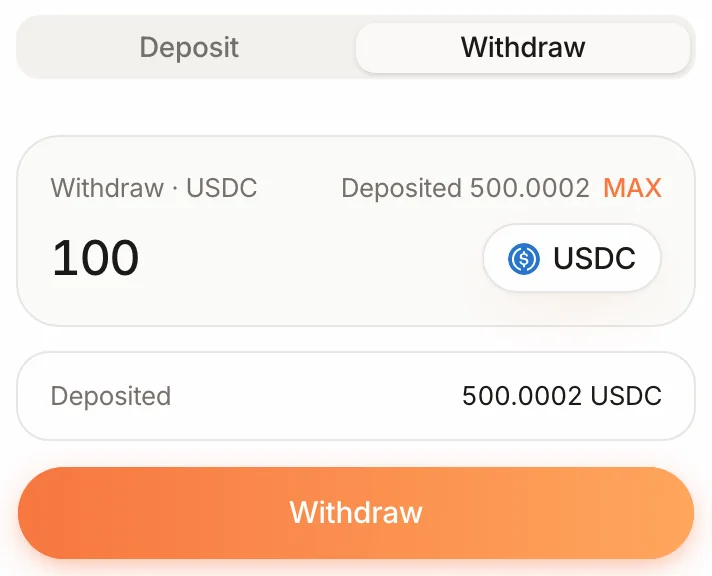
Open the vault page (or click the row on Earn), switch to Withdraw and enter an amount; it goes straight back to your wallet. Deposited shows what you can withdraw now. Withdrawals are instant while the curated vault has idle liquidity. If it is fully utilized you may have to wait for borrowers to repay, and the “Deposited” figure (what you can withdraw now) can read lower than what you put in until then.
Rewards#
Yield compounds inside the curated vault. LISTA emission accrues separately and is claimed from Dashboard → Rewards: Lending Rewards for the base emission, Holder Boost for the boosted part. The boost only applies up to your tier’s supply cap, shared across all your supply-side positions; see Boost caps.