

Allocation lifecycle
On this page
Your vault’s allocation is the amount of protocol LISTA lent to it. It moves through one treasury function, rebalance, which anyone may call for any vault (the Dashboard’s Request / Upgrade buttons call it for you).
How rebalance decides#
eligible = LISTA amount of the owner’s current tier
if allocation ≥ eligible → set allocation to eligible (downgrade in one step)
else → move up to the next tier only (upgrade one tier per call)
- Upgrades are all-or-nothing: if the treasury’s free LISTA can’t cover the step, the request reverts and nothing moves (“allocation is currently full”).
- Upgrades are refused while the protocol is paused, the vault is locked, or you have opted out.
- Pull-backs always work, even while paused, locked or opted out.
All the ways an allocation changes#
| Action | Who | Effect |
|---|---|---|
| Create vault | You | 0 → 10,000 (pool vault for a Tier-2 owner: straight to 50,000) |
| Add a vault | You | Same as creating, with Tier 2 judged for that vault’s number |
| Request / Upgrade (rebalance) | Anyone | One tier up, if eligible and funded |
| Rebalance after your vlLTP drops | Anyone | Down to your current tier in one step |
| Return LISTA | You | Back to 0, and you are opted out |
| Opt back in | You | Lifts the opt-out; then request again |
| Inactivity reclaim | Keeper | Back to 0, not opted out (see Inactivity reclaim) |
Over-allocated vaults can’t claim#
If your vault holds more than your current tier allows (say your vlLTP fell below 20,000 while the vault still holds 50,000), reward claims revert until someone calls rebalance to pull the difference back. Request LISTA on the Dashboard does exactly that; then claim as normal.
Examples#
Example · Tier-2 owner, pool empty
- Create vault
- 0 → 10,000
- Upgrade to Tier 2
- 10,000 → 50,000 (+40,000)
- Requests needed
- 1 after creation
Example · Downgrade after unlocking
- vlLTP after the unlock is claimed
- 15,000 (below 20,000)
- Vault still holds
- 50,000 → claims revert
- Anyone calls rebalance
- 50,000 → 10,000 in one call
- Claims
- work again
Example · Opt out and come back (Tier 2)
- Return LISTA
- 50,000 → 0, opted out
- Opt back in
- flag cleared, still 0
- Request
- 0 → 10,000
- Request again
- 10,000 → 50,000
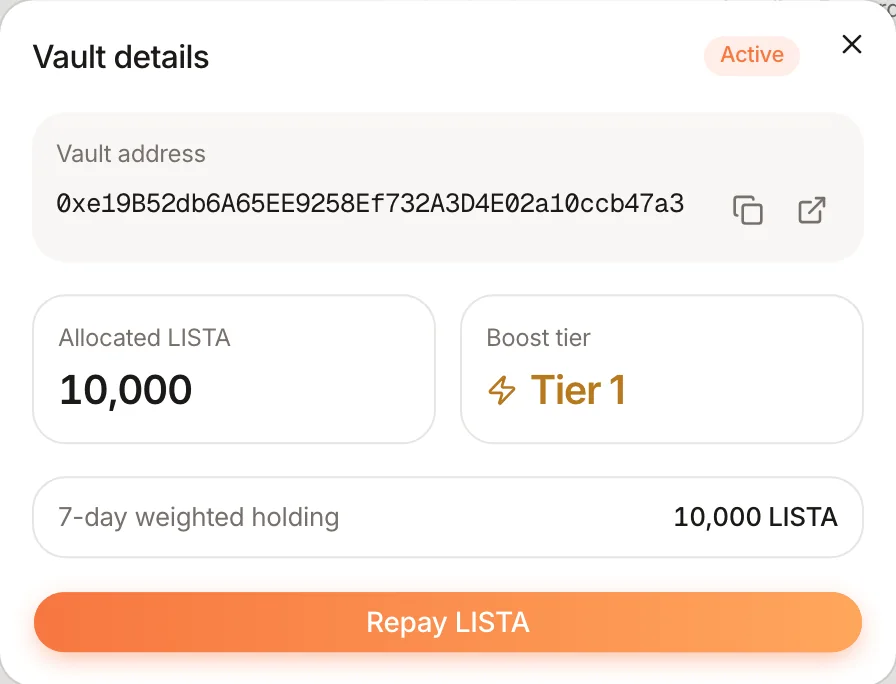
The opt-out is sticky
Returning your LISTA (Vault details → Repay LISTA) blocks every future top-up until you opt back in yourself, so nobody can push LISTA into a vault you emptied on purpose.